
How to edit Envato templates in Canva: complete workaround guide for 2026
Yes, you can edit Envato templates in Canva — here's exactly how to prepare, import, and customize templates in 2026.
Envato: Get every type of asset for any type of project, and access to AI tools. Start now
Learn about software requirements, editing and customization of graphic templates. It covers Envato's commercial licensing model in detail, plus special considerations for logo templates.

Graphic templates are pre-designed layouts — social posts, flyers, presentation decks, logos, mockups — that give a design project a finished structure to start from instead of a blank canvas. You customize the text, colors, images, and fonts; the layout, spacing, and hierarchy are already solved.
This graphic templates guide covers what actually arrives in an Envato template download, which software opens each format, how easy templates are to customize, and — the part that generates the most support tickets — exactly how licensing works for client work, commercial projects, and subscription cancellation.
Graphic templates exist for nearly every project type a working creative touches: social media kits with matched posts, stories, and covers; presentation templates; flyers and brochures built for print; infographics; logo templates with color variations; and mockups that drop a design onto a phone screen, tote bag, or storefront.
The appeal is straightforward: a template removes the rebuilding work — grid systems, slide masters, story-sized artboards, print bleeds — that eats up a design week. Someone has already solved the layout problem and organized the file so swapping in your content takes minutes instead of hours. You’re not outsourcing the creative decisions; you’re outsourcing the setup.
A template download usually contains more than one file. Knowing what each piece is for saves confusion before you’ve even opened your design software.
| Format | Typically includes | Best for |
| PSD (Photoshop) | Layered file, smart objects, help file | Photo-heavy designs, social graphics, mockups |
| AI / EPS (Illustrator) | Vector artwork, organized layers | Logos, icons, print collateral, infographics |
| INDD (InDesign) | Multi-page layout, paragraph styles | Brochures, magazines, multi-page print |
| PPTX (PowerPoint) | Slide masters, editable charts | Presentations, pitch decks |
| Figma | Components, auto layout frames | UI kits, social templates, team workflows |
| Canva | Shared template link | Quick social content, non-designers |
Always check the item description for the exact formats included; it’s listed on every item page.
The template’s file format determines the required software, and there’s no way around a format mismatch — a PSD won’t open in PowerPoint, and a Canva template won’t open in Photoshop.
| Template format | Required software | Free or affordable alternative |
| PSD | Adobe Photoshop | Photopea (free, browser-based) |
| AI | Adobe Illustrator | Affinity Designer, Inkscape (fidelity varies) |
| EPS | Adobe Illustrator | Affinity Designer, Inkscape |
| INDD | Adobe InDesign | Affinity Publisher (via IDML, if included) |
| PPTX | Microsoft PowerPoint | Google Slides, Keynote (expect formatting shifts) |
| Figma | Figma (free tier available) | None needed |
| Canva | Canva (free tier available) | None needed |
Photopea handles straightforward PSD edits well — text swaps, image replacement, color changes, but very complex files with advanced effects may not render perfectly. Apps that “import” Adobe formats convert them, which can shift typography or effects, so for client work where fidelity matters, native software is the safer route.
Before downloading, check the item page: every template lists its file formats and compatible software in the item details.
No. Envato provides the downloadable files; editing happens in the relevant design software (Photoshop for PSDs, Figma for Figma files, Canva for Canva templates) on your own machine or accounts. If you don’t own design software, filter your search toward Canva, Figma, or PowerPoint templates, since those only need free or widely available tools.
Editing difficulty depends on format and file quality, but three concepts turn most templates from intimidating to routine.
A Canva template gets you a clean, on-brand social post in ten minutes. A PSD template lets you rebuild half the design — but expects you to understand layers, masks, and smart objects to get there.
Yes. Every download on Envato includes a lifetime commercial license, and it covers client work and monetized projects: download a template, customize it for a paying client, deliver the final work, and charge for it. The license doesn’t expire.
That covers what agencies and freelancers actually do:
It also scales: the same social media kit can power ten different clients’ feeds, each under its own license, at no additional cost per use — a new license is simply created for each separate project the asset is registered to.
The simple test: are you delivering a finished, customized end product, or passing along the template itself? Agency and freelance work almost never brushes against these limits.
No. The commercial license removes attribution requirements entirely — no credit to Envato or the template author, no watermarks, no disclosure, on any client deliverable.
Three concepts cover it: registration, projects, and relicensing.
Scenario A — one client, one campaign: Download a social kit, register it to a client’s spring campaign, produce twenty posts, five stories, and ad creatives from it. One project, one license, everything covered.
Scenario B — a new client project: Six months later, a different client wants the same kit. Register it again for the new project to create a fresh license; both projects stay covered for life.
Canceling doesn’t undo the rights on work already done — licenses are lifetime.
A subscription is safe to start and safe to stop: everything produced while subscribed is protected for life, and the only thing lost by canceling is the ability to start new licensed projects.
Logo templates carry one risk the other categories don’t.
Ask upfront whether trademark registration is on the client’s roadmap. If it is, quote custom logo work. If it isn’t, a customized logo template is a fast, fully licensed option.
Check file formats and software requirements before downloading, install fonts before opening files, register each download to its real project, and keep the template-versus-custom conversation honest on logo work. From there, templates become a production system — pick one recurring deliverable and build a template-based workflow around it.
For more on Envato’s toolkit alongside templates, see the Envato AI tools guide and what Envato is (and isn’t).
It depends on the format: PSD needs Photoshop (or free Photopea), AI and EPS need Illustrator, INDD needs InDesign, PPTX needs PowerPoint, and Figma or Canva templates open in those platforms’ free tiers.
No. Envato provides the downloadable files; editing happens in the relevant design software.
Yes. Every download includes a lifetime commercial license covering monetized and commercial projects, with no attribution required.
Yes — client social media, presentations, marketing campaigns, and websites are all covered, as long as you deliver a customized end product rather than re-selling the template itself.
Yes. One license covers one project; using the same template for a different client or campaign means registering it again, which creates a new license at no extra cost while subscribed.
Licenses are lifetime, so everything registered while subscribed stays fully covered. You just can’t use downloaded assets in new projects without an active subscription.
Usually a format mismatch. Check template compatibility and match them to software you have; if fonts look wrong, install the fonts listed in the help file first.
Install the template’s fonts, swap in your brand colors globally, replace fonts with your brand typefaces, and replace all placeholder text, photos, and logos while keeping the layout and spacing intact.
A practical graphic templates guide: formats, software requirements, editing basics, and licensing — including what happens if you cancel.
Yes, you can edit Envato templates in Canva — here's exactly how to prepare, import, and customize templates in 2026.

Maximalism is back in a big way in 2026, with weird and wonderful nostalgia aesthetics resurfacing on social media. Wacky Pomo, or Wacky Postmodern, is a 90s design trend inspired by kids' game shows, animations and children’s packaging design. It’s exaggerated, extreme and super fun, but you’ll need to leave your good taste at the door to really get into it.

The ultimate antidote to ‘millennial blanding’, the Hyper Goo aesthetic is Gen Z maximalism taken to the extreme. Playful, glitchy and gloopy, Hyper Goo branding merges anti-design elements with a Los Angeles skater aesthetic.
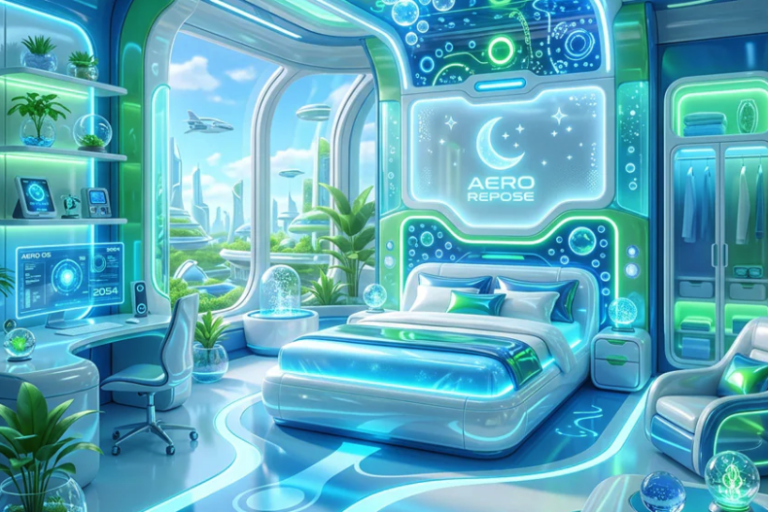
Glass butterflies, fish trapped in bubbles and…floating cats? Frutiger Aero is the mid-2000s design trend you didn’t know you needed.

